Write. That's it.
A minimal notes editor that treats your notes as what they are: plain .md files in real
folders, on your disk. No accounts, no sync daemon, no proprietary format — the folder is the app.
That's the whole app.
A note is a file. A folder is a space. Nothing else.
Live markdown
Markdown that renders as you type.
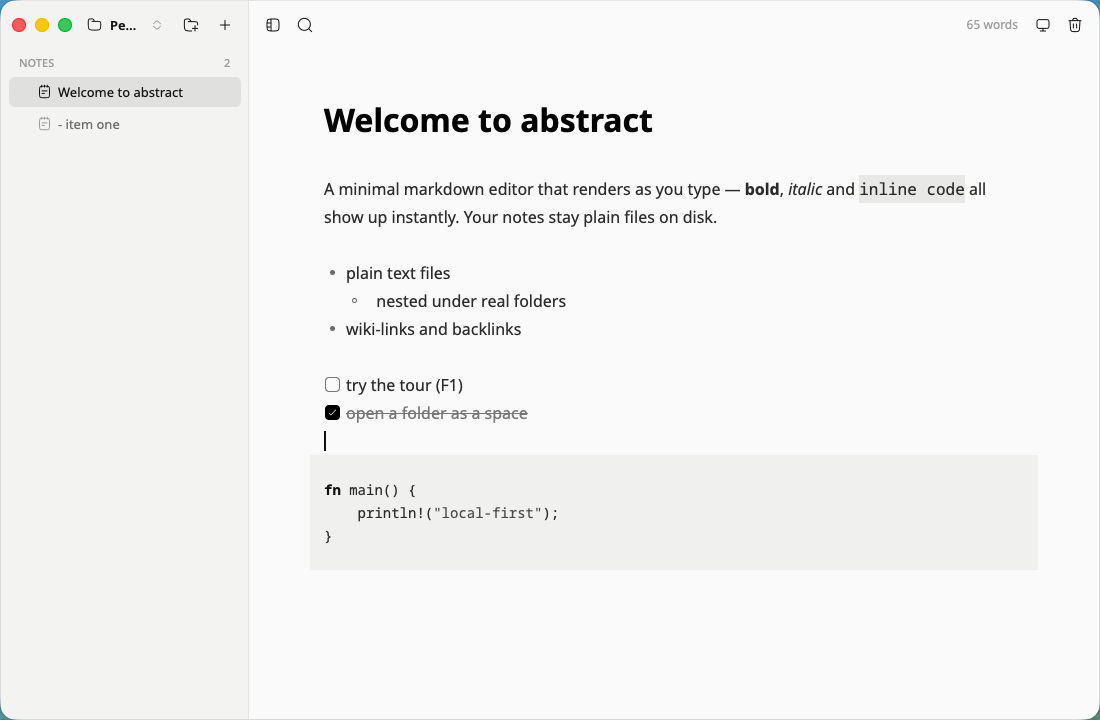
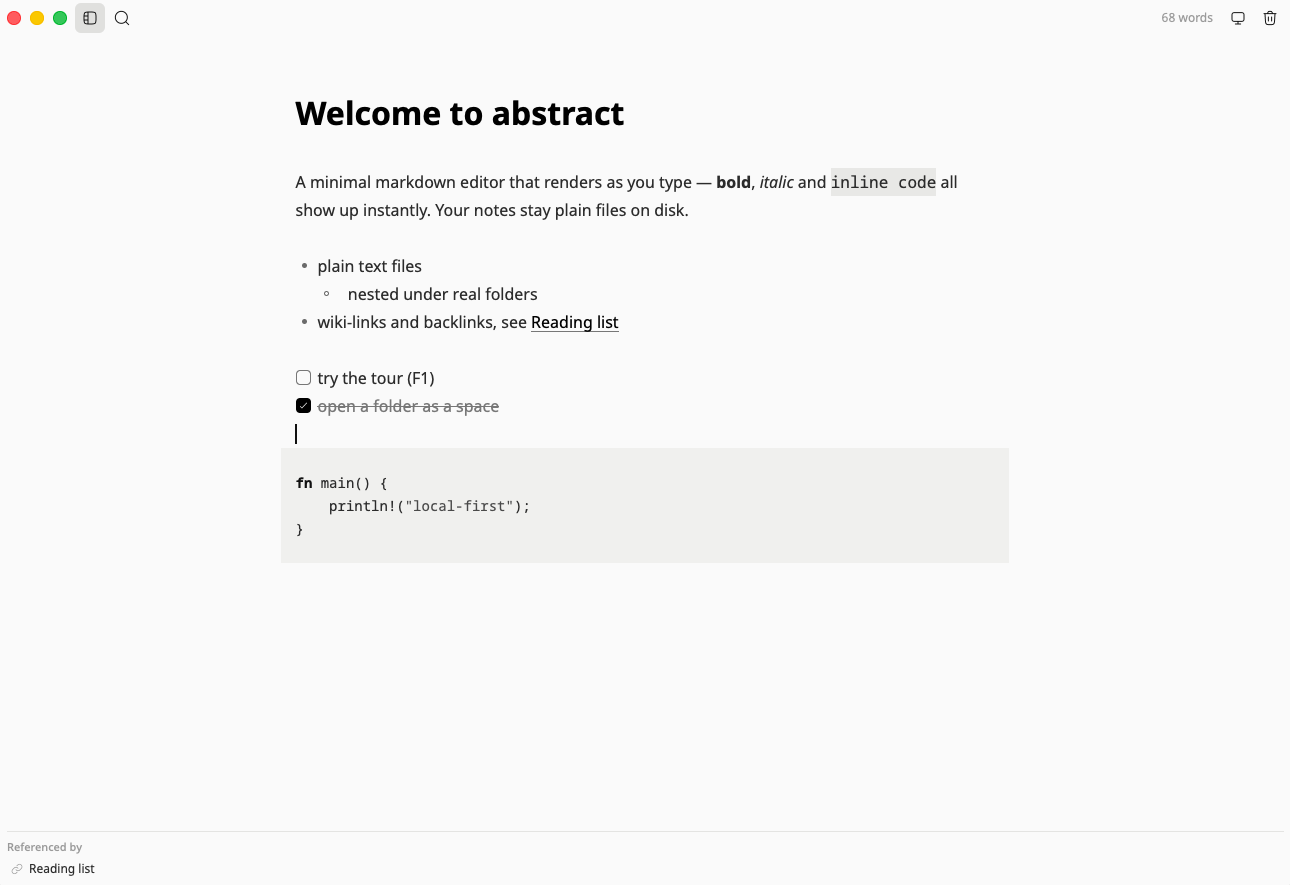
Typora-style rendering powered by tree-sitter. The syntax conceals itself until your cursor touches it.
- Write bold, italic, code, links, headings, lists and tasks — they render inline.
- Type a heading and it becomes the filename.
- Keep typing — every file saves itself.
Search
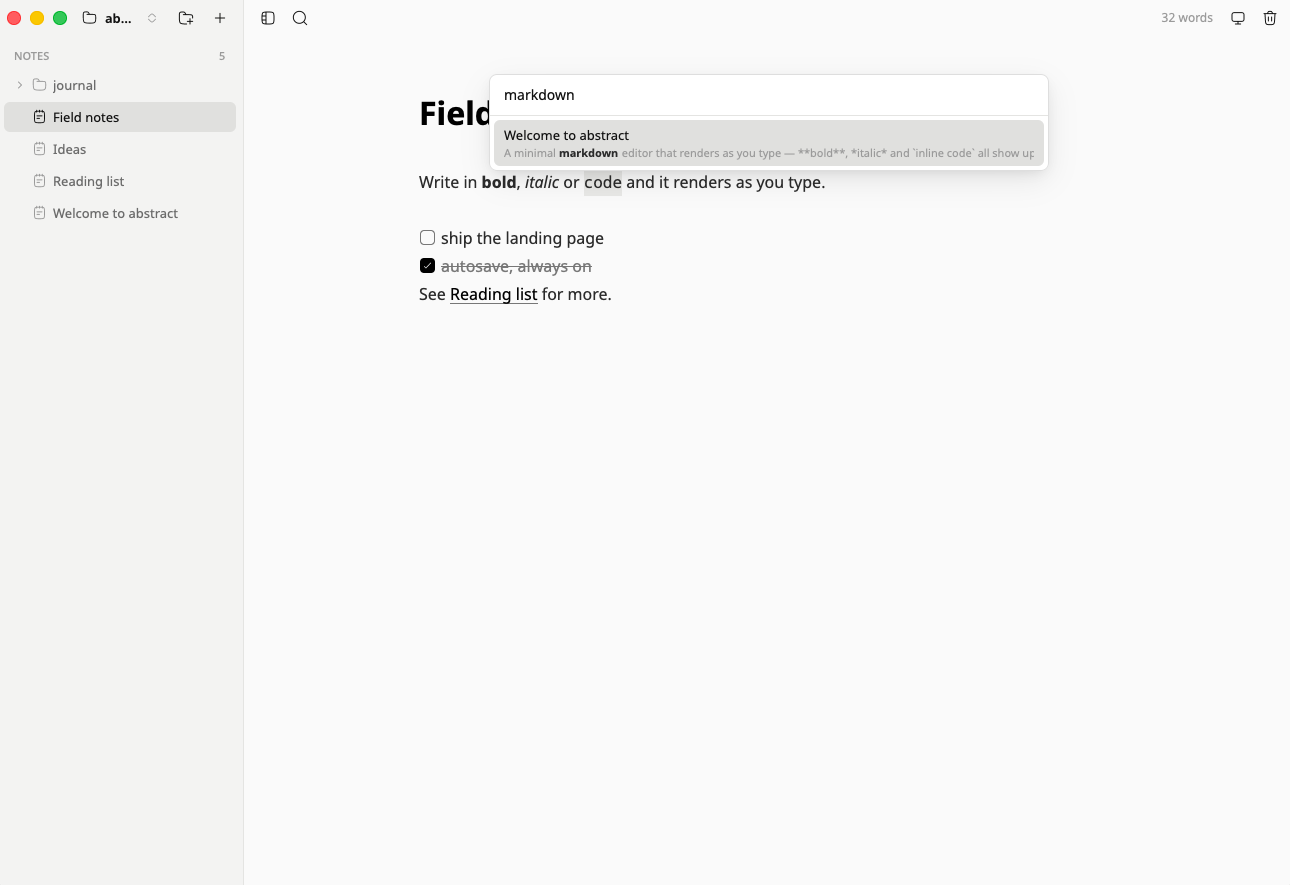
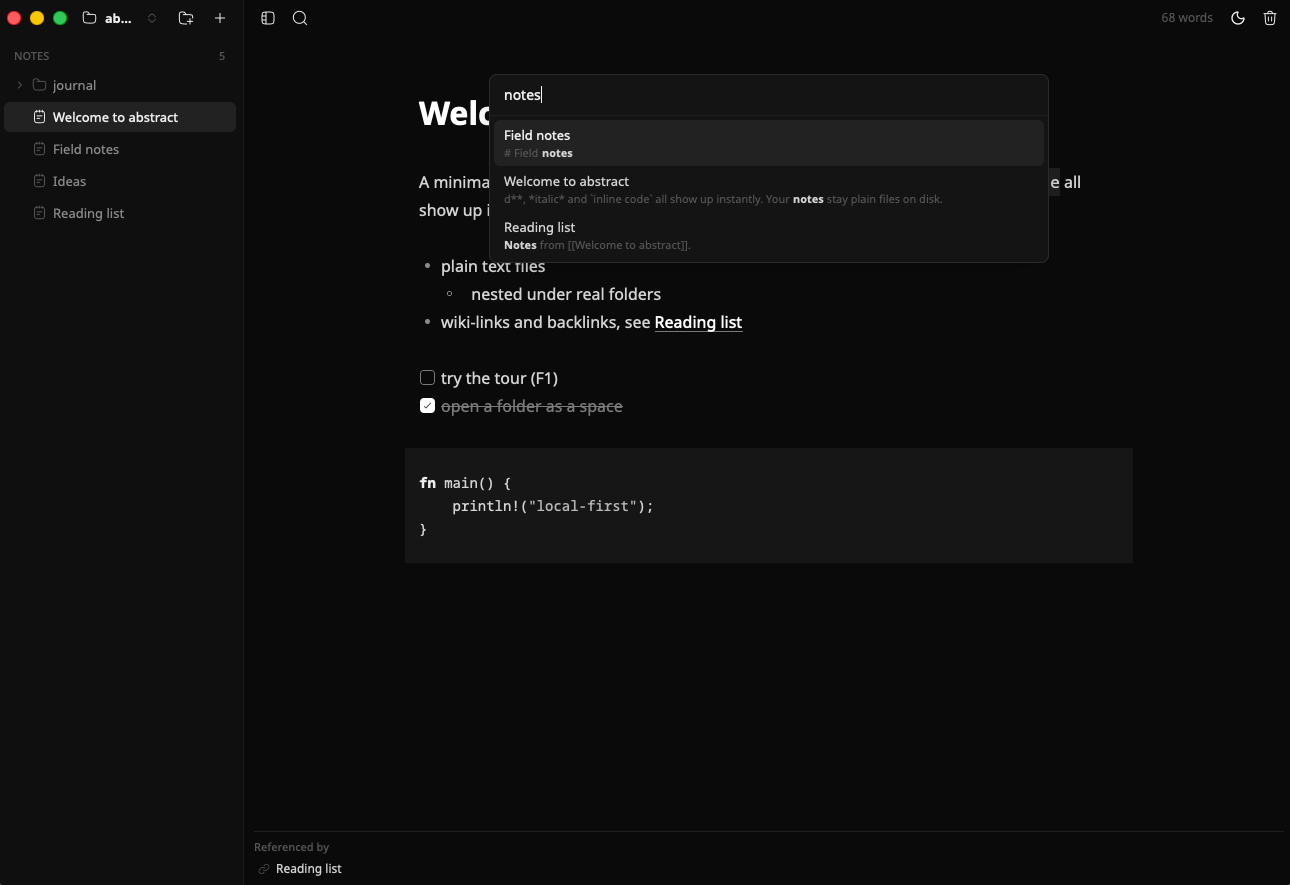
Search everything.
⌘P opens a palette over note titles and bodies.
- Leave the query empty to see what you edited last.
- Reach it with ⌘⇧F too.
Themes
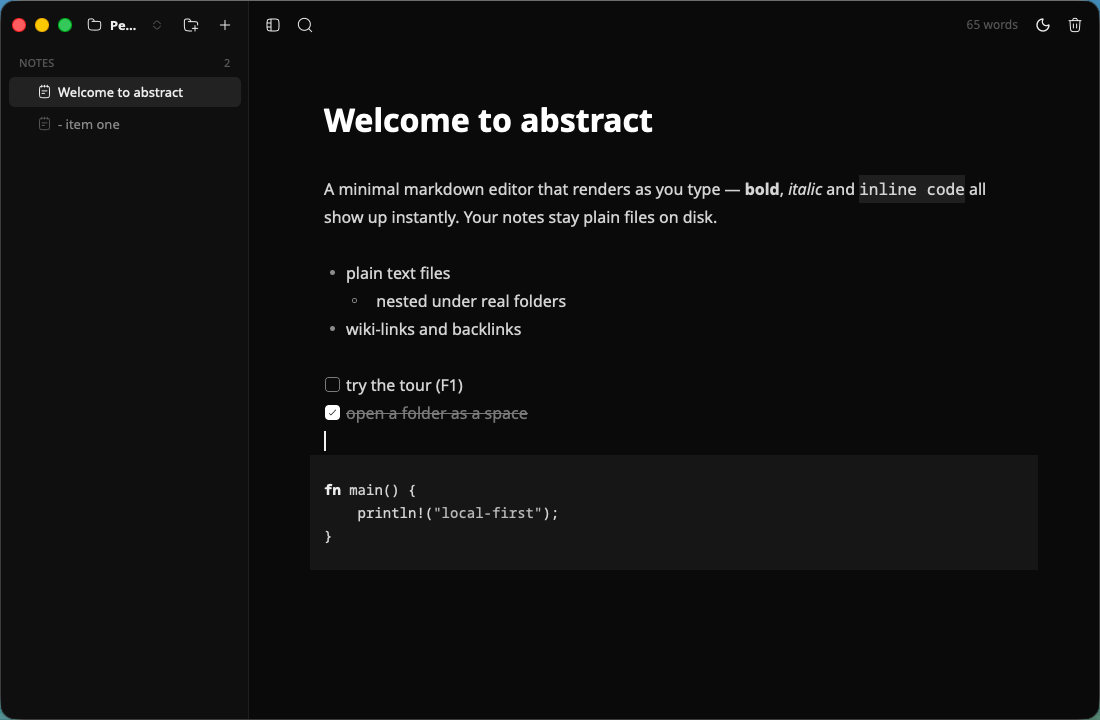
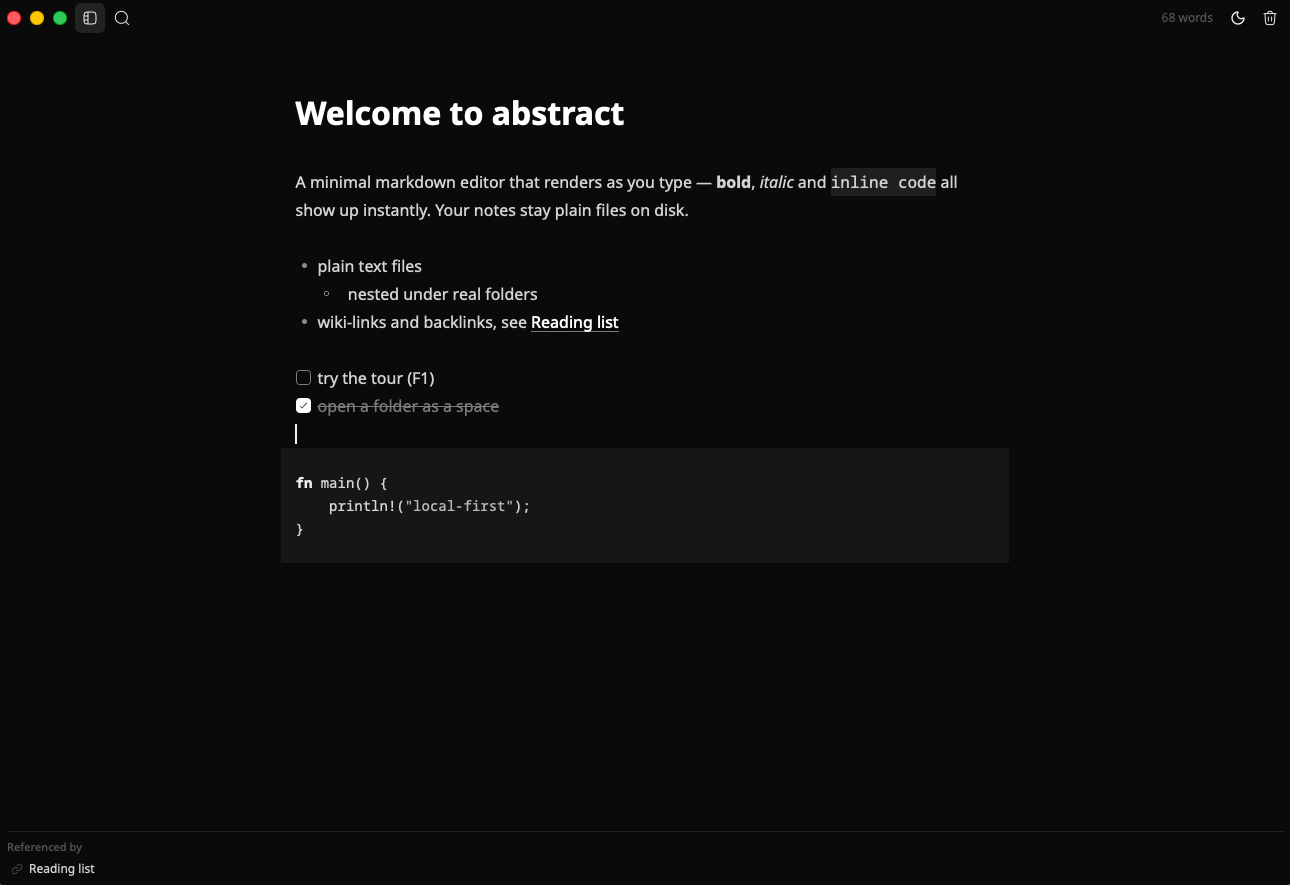
Light, dark, or system.
Two monochrome themes, no accent color competing with your text.
- Cycle with ⌘⇧L.
- Follow the system appearance, or pin one.
Focus
Focus mode.
⌘\ hides the sidebar. Just you and the text.
- Hide the sidebar with one keystroke.
- Get it back the same way.
Tasks & code
Tasks and code.
Click a checkbox to toggle it — the file stays plain - [x]. Code blocks get syntax highlighting.
- Toggle tasks without leaving the keyboard or reaching for source mode.
- Drop in code and read it highlighted.
And the rest.
Autosave
Writes are debounced as you type; a file is created on the first keystroke and named after its first heading.
Spaces
Keep several note directories and switch between them with ⌘O.
Sidebar tree
Folders and notes with inline rename, plus one-click new note and new folder.
Wiki-links & backlinks
[[note]] links with autocomplete; ⌘-click follows, and a panel lists what links here.
External-edit aware
The space folder is watched live, so edits and deletions from other apps show up instantly.
Session restore
Reopens your notes, window geometry and sidebar state exactly where you left them.
Cross-platform
Linux (Wayland & X11), macOS and Windows, with bundled Noto fonts for identical rendering.
English & Portuguese
The interface auto-detects your system locale.
Chromeless
A custom titlebar and monochrome themes keep the frame out of the way.
First-run tour
Press F1 any time to walk through the essentials.
Two themes. Zero color.
Monochrome by design — so the only thing with contrast is your text.
Hands on the keyboard.
⌘ on macOS, Ctrl on Linux and Windows. Standard editing keys plus B I Z.
- ⌘N
- New note
- ⌘⇧N
- New folder
- ⌘O
- Switch space
- ⌘S
- Save now
- ⌘P
- Search notes
- ⌘\
- Toggle sidebar
- ⌘⇧L
- Cycle theme
- ⌘⇧⌫
- Delete note
- F2
- Rename
- F1
- Tour
Download. Latest release
Prebuilt artifacts on every GitHub release. Or build from source in one command.
Windows
Download for WindowsFrequently asked questions.
Where are my notes stored?
As plain .md files inside the folder you opened as a space. Nothing else — no database, no proprietary format.
Does it sync?
No. There is no sync daemon. Put the folder inside whatever sync you already trust — Dropbox, iCloud Drive, Syncthing or git.
Can I use my existing markdown folder?
Yes — open it as a space and your notes are there. The folder is watched live, so edits made in other apps show up instantly.
Is it free?
Yes. abstract is Apache-2.0 and the source is on GitHub.
Which platforms?
Linux (Wayland & X11), macOS (aarch64 and x86_64) and Windows (x86_64). Prebuilt artifacts ship on every GitHub release.
Why does macOS say the app is damaged or from an unidentified developer?
The app is ad-hoc signed. Right-click → Open on first launch, or run xattr -dr com.apple.quarantine abstract.app.
How does linking between notes work?
Type [[note]] to link with autocomplete. ⌘-click follows the link, creating the note if it does not exist, and a backlinks panel lists everything that references the open note.
What is it built with?
Rust and GPUI, with tree-sitter parsing the markdown. It renders on the GPU and ships bundled Noto fonts so it looks identical everywhere.